You’ve just been handed a new project. Maybe it’s launching a website, rolling out a marketing campaign, or organizing a company event. The deadline is set. The budget is (sort of) approved. And now everyone’s looking at you, waiting for… what, exactly?
If you’ve ever stared at a blank screen wondering where to begin, you’re not alone. Without a clear plan, projects spiral fast—deadlines slip, budgets balloon, team members duplicate work or drop the ball, and stakeholders start asking uncomfortable questions. The good news? Learning how to plan a project from scratch doesn’t require a PMP certification or years of corporate training. It requires a simple, repeatable process.
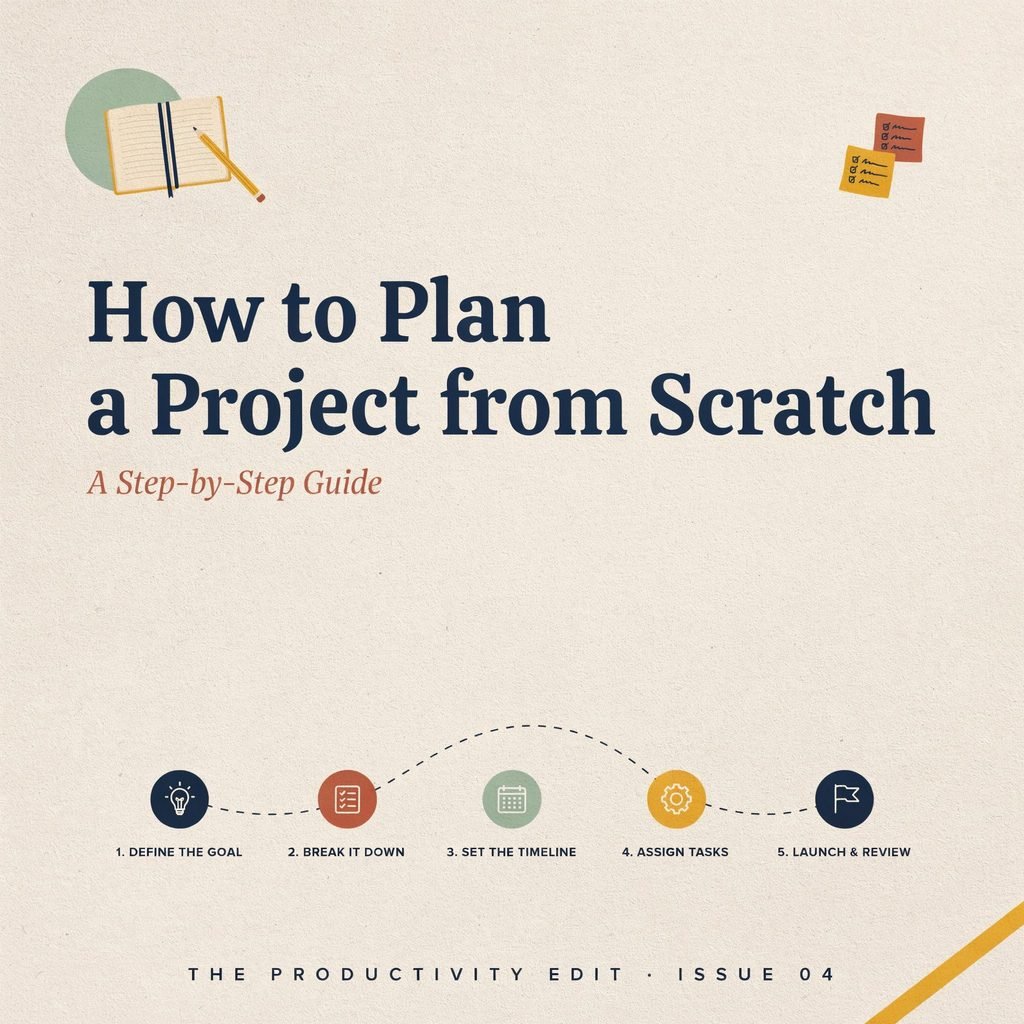
This guide walks you through the standard project management lifecycle—initiation, planning, execution, monitoring, and closure—but in plain language you can apply today. Whether you’re a freelancer juggling client work, a startup founder wearing ten hats, or a team lead managing your first cross-functional initiative, this step-by-step project planning framework will give you the structure you need.
Let’s build your project plan from the ground up.
What Is Project Planning and Why It Matters
Project planning is the process of defining what you’re going to do, who’s going to do it, when it needs to be done, how much it will cost, and what could go wrong—all before the real work begins. Think of it as drawing the blueprint before you pour the foundation.
The project planning process sits at the heart of the broader project management lifecycle. Without it, execution becomes reactive rather than intentional. Teams waste hours in unnecessary meetings, stakeholders get surprised by delays, and small issues snowball into crises.
Why does investing time upfront pay off? Here’s what solid planning delivers:
- Clearer scope: Everyone knows exactly what’s included (and what’s not), reducing confusion and rework.
- Realistic timelines: Instead of guessing, you base your schedule on actual task sequences and resource availability.
- Stronger stakeholder confidence: When sponsors and clients see a structured plan, they trust you to deliver.
Best practices in project planning aren’t about creating a 90-page document nobody reads. They’re about asking the right questions early so you spend less time firefighting later.
Your takeaway: Before you open a task board or assign a single to-do, commit to spending real time on the planning phase. It’s the highest-leverage hour you’ll invest in the entire project.
Step 1: Initiation – Clarify the “Why” and “What”
Project initiation is where you answer the most fundamental questions before any detailed planning begins. Skip this step, and you risk building the wrong thing efficiently.
Identify the Business Need
Every project exists to solve a problem or capture an opportunity. Start by writing one or two sentences: Why are we doing this? For our running example—launching a new company website—the need might be: “Our current site is outdated, loads slowly, and doesn’t convert visitors into leads.”
Define Project Goals and Objectives
Turn that need into SMART goals—Specific, Measurable, Achievable, Relevant, and Time-bound. Instead of “make the website better,” write: “Launch a redesigned website within 12 weeks that increases lead form submissions by 40%.”
Identify Key Stakeholders
Who cares about this project, and what do they expect? List everyone who will influence the project or be affected by it: the CEO, marketing team, IT, external designers, end users. Note each person’s interest and influence. This is the foundation of stakeholder management—you can’t please everyone, but you can anticipate their needs.
Create a Simple Project Charter
A project charter template doesn’t need to be fancy. One page covering these elements is enough:
- Project purpose and objectives
- High-level scope (what’s in, what’s out)
- Key stakeholders and their roles
- Rough timeline and budget range
- Known constraints or assumptions
- Success criteria
Decide: Is This Project Worth Doing?
Do a quick feasibility check. Do you have (or can you get) the budget, people, and time? If the answer is a hard no, it’s better to know now than six weeks in.
✅ Initiation Checklist
- Business need clearly stated in 1–2 sentences
- SMART project goals and objectives written down
- Key stakeholders identified with expectations noted
- One-page project charter drafted and approved
- Basic feasibility confirmed (budget, people, timeline)
What to do next: Get sign-off on your charter from the primary sponsor before moving forward. This one approval saves you from scope disputes later.
Step 2: Planning – Build Your Project Roadmap
This is the heart of the project planning process. As we covered in the initiation step, you know why you’re doing the project. Now you figure out how, who, when, and for how much.
2.1 Define Scope and Deliverables
Your scope statement draws the boundary around the project. Deliverables are the tangible outputs you’ll hand over. For our website launch:
- In scope: Homepage, five service pages, blog setup, contact form, mobile responsiveness, basic SEO setup.
- Out of scope: E-commerce functionality, multilingual support, ongoing content writing.
Write this down and share it. Scope creep—the silent killer of timelines and budgets—happens when “small additions” pile up without anyone noticing.
2.2 Create a Work Breakdown Structure (WBS)
A work breakdown structure is just a way of breaking the project into manageable chunks. Think of it as an outline:
- Website Launch
- 1.1 Design
- 1.1.1 Wireframes
- 1.1.2 Visual mockups
- 1.1.3 Design approval
- 1.2 Development
- 1.2.1 Front-end build
- 1.2.2 CMS integration
- 1.2.3 Contact form setup
- 1.3 Content
- 1.3.1 Copywriting
- 1.3.2 Image sourcing
- 1.4 Testing & Launch
- 1.4.1 QA testing
- 1.4.2 Go-live
- 1.1 Design
Start broad, then get specific. Each lowest-level item should be something one person can own and complete in a few days.
2.3 Sequence Tasks and Identify Dependencies
Task dependencies tell you what must finish before something else can start. You can’t build the front end before the design is approved. You can’t write final copy before the page structure is set.
Grab sticky notes, a whiteboard, or a free digital board (Trello, Notion, Miro). Lay out your tasks and draw arrows showing which ones block others. This simple exercise prevents the classic “I was waiting on you” bottleneck.
2.4 Estimate Time, Effort, and Resources
For each task, ask:
- How long will this realistically take? (Add 15–20% buffer.)
- Who has the skills to do it?
- Are they available, or juggling other work?
Resource planning for projects means matching the right person to the right task at the right time. If your developer is booked on another project for two weeks, build that gap into your schedule now—not after the deadline slips.
2.5 Build the Project Schedule and Milestones
Turn your sequenced tasks and estimates into a project schedule and timeline. You can use a Gantt chart (tools like Monday.com, Smartsheet, or even a spreadsheet work fine) or a simple calendar view.
Mark your project milestones—key checkpoints where you pause to confirm progress. For the website example:
- Milestone 1: Design approved (end of Week 3)
- Milestone 2: Development complete (end of Week 7)
- Milestone 3: Content loaded and QA passed (end of Week 10)
- Milestone 4: Go-live (Week 12)
Milestones give stakeholders visible progress markers and give you early warning if the schedule is drifting.
2.6 Plan the Budget
Project budget planning doesn’t have to be an accounting degree exercise. List your cost categories:
- People: Internal salaries allocated or contractor fees
- Tools & software: Design tools, hosting, CMS licenses
- Vendors: Copywriter, photographer, QA tester
- Contingency: 10–15% buffer for the unexpected
Choose a simple approach: top-down (you have $15,000; allocate it across categories) or bottom-up (estimate each task’s cost, then add them up). For most small projects, a hybrid works—set a ceiling, then validate with bottom-up estimates.
2.7 Identify Risks and Create a Risk Management Plan
Ask yourself: What could derail this project? Common risks include:
- Key team member gets pulled onto another priority
- Stakeholder delays feedback by a week
- Vendor misses a delivery date
- Scope changes mid-project
For each risk, rate it on likelihood (low/medium/high) and impact (low/medium/high). Then write one mitigation step. Example: “If the designer is late, we activate a pre-vetted freelancer backup.” That’s your risk management plan—simple, but powerful.
2.8 Create a Communication Plan
Decide upfront:
- Who gets updates? (Sponsor weekly, team daily, client biweekly)
- How? (Slack for quick pings, email for formal updates, a 30-min standup for the team)
- When? (Status report every Friday, milestone reviews at each checkpoint)
Clear communication prevents 80% of project misunderstandings.
✅ Planning Checklist
- Scope statement written and shared with all stakeholders
- WBS created down to task level
- Task dependencies mapped
- Time and resource estimates completed with buffer
- Schedule built with milestones identified
- Budget drafted with contingency included
- Top 5 risks identified with mitigation steps
- Communication plan agreed upon
What to do next: Review the full plan with your team and sponsor. Get alignment before anyone starts executing. A 30-minute walkthrough now prevents weeks of confusion later.
Step 3: Execution – Put Your Plan into Action
Execution is where the rubber meets the road. Your team starts working through the tasks defined in your project plan example you built during the planning phase.
As the project lead, your role shifts from architect to conductor:
- Assign tasks clearly. Every task has one owner, a due date, and defined acceptance criteria.
- Remove blockers. Check in regularly. If someone is stuck waiting on an approval or a file, unblock them fast.
- Keep communication flowing. Use your task board (Asana, Trello, ClickUp, or even a shared spreadsheet) as the single source of truth. Pair it with brief standups or async updates.
Best practices in project planning don’t end when execution begins. Stick to your plan as the baseline, but stay flexible. If a task takes two days longer than estimated, adjust downstream tasks proactively rather than pretending everything is fine.
For our website launch, execution looks like the designer delivering mockups, the developer building pages, the copywriter drafting content—all tracked on a shared board with weekly check-ins.
What to do next: Hold a kickoff meeting with the full team. Walk through the WBS, confirm assignments, and agree on how you’ll flag issues early.
Step 4: Monitoring & Control – Stay on Track
Project execution and monitoring happen simultaneously. You don’t finish building and then check whether it worked—you track progress as the work unfolds.
Track Against Your Baseline
Compare actual progress to your original project schedule and timeline, budget, and scope. Are tasks completing on time? Are you burning through budget faster than planned? Has anyone added work that wasn’t in the scope statement?
Use Simple Status Tools
- A weekly one-page status update (green/yellow/red per milestone)
- A shared dashboard showing task completion percentages
- Brief 15-minute check-ins to surface risks before they explode
Manage Changes Formally
When a stakeholder requests a change (“Can we also add a booking feature?”), don’t just say yes. Assess the impact on timeline, budget, and resources. Get written approval. This protects you from common project planning mistakes like uncontrolled scope creep.
Course-Correct Early
If a milestone is at risk, act now: re-prioritize tasks, bring in extra help, or negotiate a revised deadline. Communicate the change to stakeholders immediately. Surprise is the enemy of stakeholder management.
✅ Monitoring Checklist
- Weekly progress compared to baseline schedule
- Budget spend tracked against plan
- Scope changes logged and approved before implementation
- Risks reviewed and updated weekly
- Stakeholders informed of status and any changes
What to do next: Schedule a recurring 30-minute review meeting. Make it non-negotiable. Consistency beats perfection.
Step 5: Closure – Finish Strong and Learn
The project management lifecycle doesn’t end when the last task is checked off. Project closure and lessons learned are what separate a one-off effort from a repeatable skill.
Hand Over and Get Acceptance
Deliver the final outputs to the stakeholder or client. Get formal sign-off—ideally in writing—that the deliverables meet the agreed criteria. For our website, this means the client confirms the site is live, functional, and matches the approved design.
Release Resources
Notify team members they’re freed up. Close out vendor contracts. Archive project files in a shared location.
Conduct a Lessons Learned Session
Gather the team for a 30–60 minute conversation:
- What went well?
- What didn’t go as planned?
- What would we do differently next time?
Document the answers. Store them where future-you (or your successor) can find them.
Celebrate
Acknowledge the team’s effort publicly. A simple “thank you” email, a team lunch, or a shoutout in a company meeting goes a long way.
✅ Closure Checklist
- All deliverables handed over and formally accepted
- Final budget reconciled
- Resources released and contracts closed
- Lessons learned session held and documented
- Team recognized and celebrated
What to do next: Archive your project plan example, WBS, and lessons learned in a shared folder. Your next project will thank you.
Common Project Planning Mistakes to Avoid
Even with the best framework, certain pitfalls trip people up repeatedly. Here are the most common project planning mistakes and how to sidestep them:
- Skipping initiation. Jumping straight into tasks without clarifying the “why” leads to misaligned expectations and rework.
- Vague or overly broad scope. If you can’t clearly say what’s out of scope, you don’t have a scope—you have a wish list.
- Unrealistic timelines. Optimism bias is real. If your first estimate is three weeks, plan for four.
- Ignoring risks until they hit. By then, they’re not risks—they’re crises. Spend 30 minutes brainstorming them upfront.
- Poor stakeholder communication. Silence breeds anxiety. Over-communicate rather than under-communicate.
- Skipping lessons learned. Every project you close without reflection is a lesson you’ll pay to relearn.
What to do next: Before your next kickoff, skim this list and ask: “Which of these am I most likely to fall into?” Build a guardrail for that specific habit.
Tools and Templates to Simplify Project Planning
You don’t need enterprise software to plan effectively, but the right tools reduce friction:
- Spreadsheets (Excel, Google Sheets): Great for budgets, simple WBS lists, and risk registers.
- Task boards (Trello, Asana, Notion): Ideal for visualizing tasks, assigning owners, and tracking progress.
- Gantt/scheduling tools (Monday.com, Smartsheet, TeamGantt): Helpful when you have many task dependencies and milestones.
- Collaborative docs (Google Docs, Notion pages): Perfect for your project charter template, scope statement, and communication plan.
If you’re just getting started, create three reusable assets:
- A one-page project charter template
- A simple work breakdown structure outline
- A basic project plan example (a one-page overview tying scope, schedule, budget, and risks together)
The right project management software can streamline tracking and reporting, but remember: the tool serves the process, not the other way around. Nail the thinking first; let the tool handle the formatting.
Conclusion
Learning how to plan a project from scratch isn’t about memorizing methodology textbooks or earning certifications. It’s about asking the right questions in the right order: Why are we doing this? What exactly are we delivering? Who’s doing what, and by when? What could go wrong? How will we know we’re on track?
Follow the five steps in this guide—initiation, planning, execution, monitoring, and closure—and you’ll have a repeatable framework that works whether you’re launching a website, running a product campaign, or coordinating a cross-team initiative. A clear plan reduces stress, saves time and money, and dramatically increases your odds of crossing the finish line on schedule.
So the next time a project lands on your desk, don’t freeze. Open a blank doc, pull up your project charter template, and start with Step 1. You’ve got this.
Now go plan something great.